Mobirise Website Builder

Sign in  - Create account 

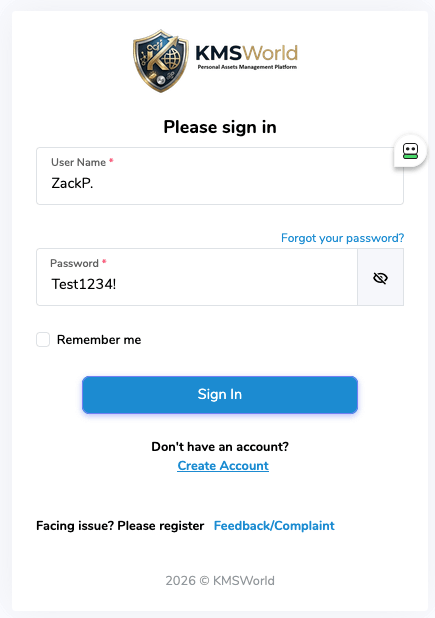
To start with KMSWorld, click the Create Account link. The account will be valid with a minimum of contact data. Everything is done to maximize privacy and protect your data. Username, password and e-mail are needed to make the account work. The rest is optional. See more about e-mail below.

If hackers ever break into the database, there will be no connection between your true identity and the list of holdings.

Give it a test ride using the following credentials: Demo, Test 1234!

Or create an account and test-ride KMSWorld for 14 days free of charge using your own data. We are convinced that you will continue with the subscription.  
Mobirise Website Builder

Create account, make it private!

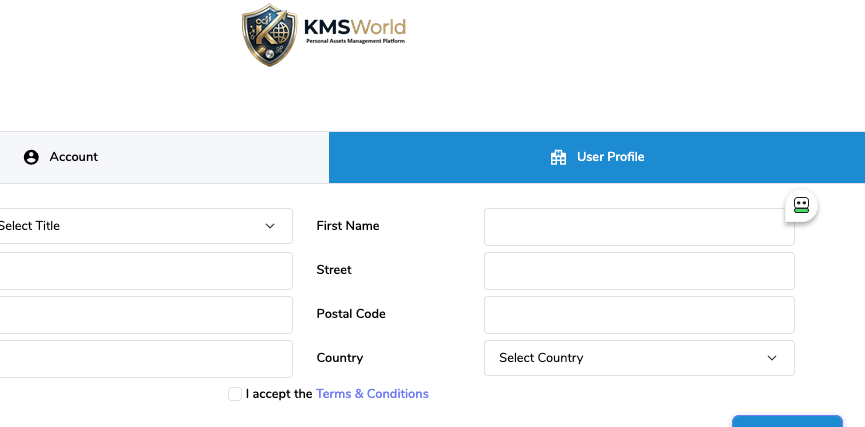
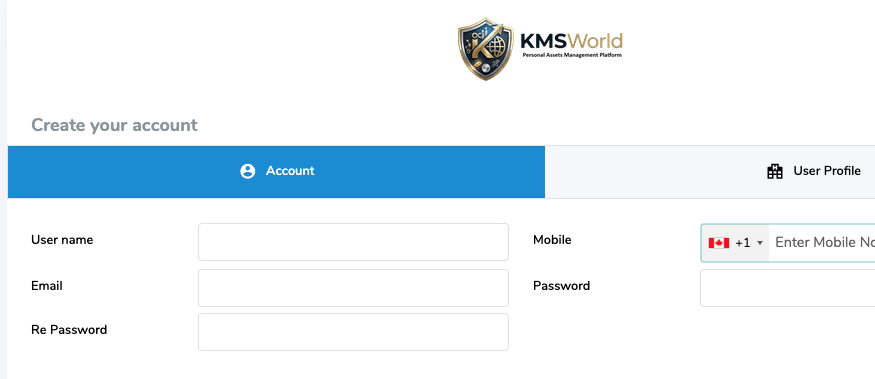
Under the Account tab, enter a username and create a Password. To create an account, you need to enter at least three pieces of information. Login name, password and e-mail address.
Phone number is optional. E-mail address is needed for future communications.
For maximum privacy use ambiguous e-mail, possibly created for this service only. We recommend Proton or Tuta secure e-mails or any other e-mail provider you trust.

jamesbond@proton.com will work just fine as long as you can actually receive and read emails under that name/account.

Under the User Profile tab, enter other details or leave blank. Completely your call. Accept Terms and Conditions and submit.

Importing Kinesis transactions

Import transactions from Kinesis KMS.

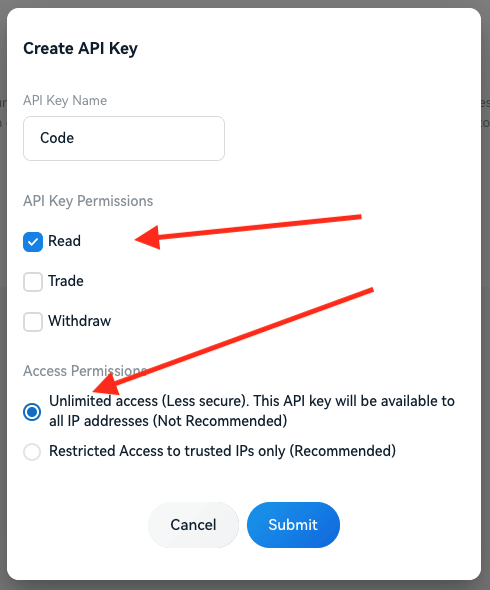
This menu allows importing all transactions from the Kinesis KMS system. Before you can do that, you have to go into Kinesis KMS, open it as a tab in the same browser and under the profile menu in the upper-right corner, click on Settings. You will get the following menus:

Kinesis API keys setup menu

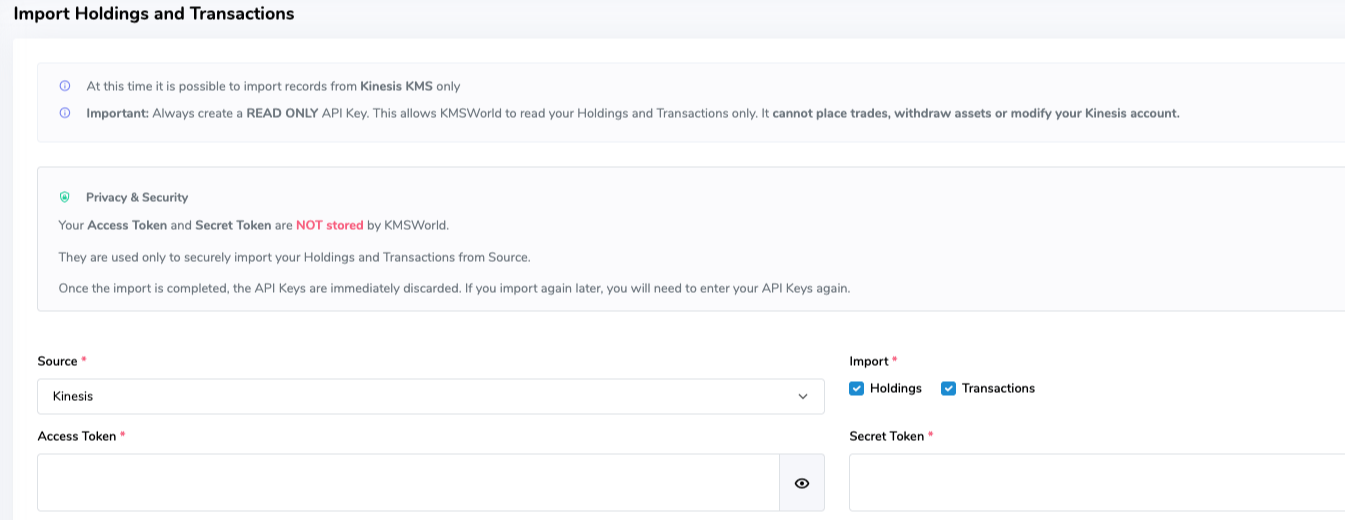
Copy keys into KMSWorld import screen

First, select Read (only) selection. That means KMSWorld software will be allowed to read transactions only, not write back anything. Leave Unlimited IP access for now. We might use restricted access later.

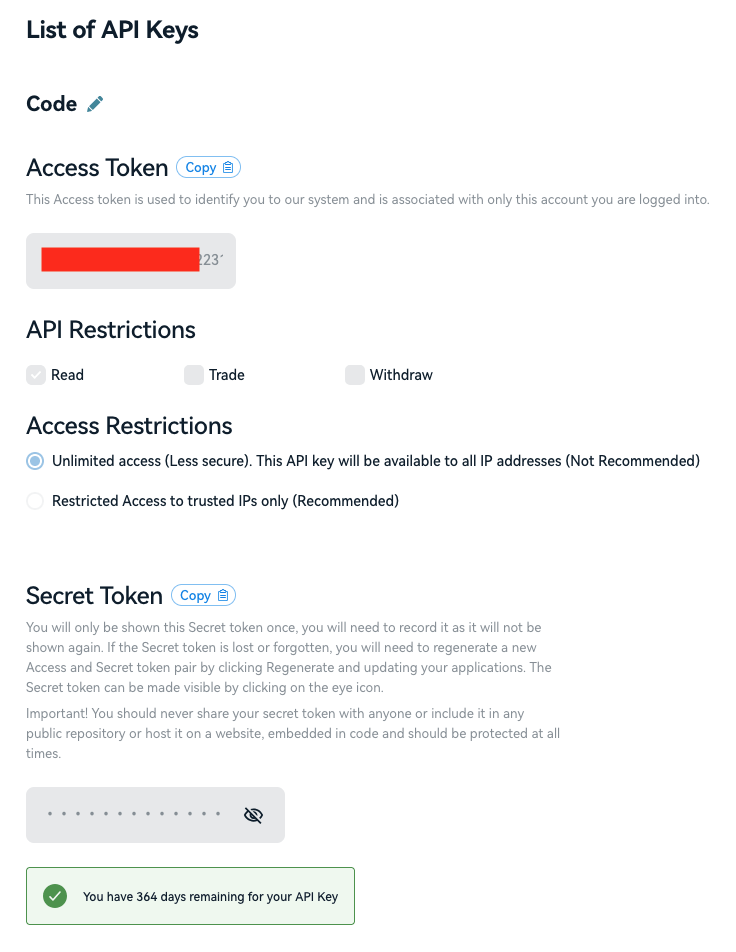
Important to know: KMSWorld will use API keys to import transactions only and will not store keys in the DB. If you want to do the import again, you have to copy and enter keys next time again. As you can see from the screenshot, Kinesis API keys will automatically expire in 364 days after initialization. After they expire, you will simply delete and reset keys to new values. All courtesy of the Kinesis KMS system. 

Kinesis KMS API keys page

API keys at your convenience

Copy Access token into Access token box in KMSWorld box. Copy button is there.
Copy Secret token into Secret token box in the KMSWorld screen. Copy button is there.
Click Import Now.
You are done! 

KMSWorld dashboard

Building a wealth, one asset at a time.

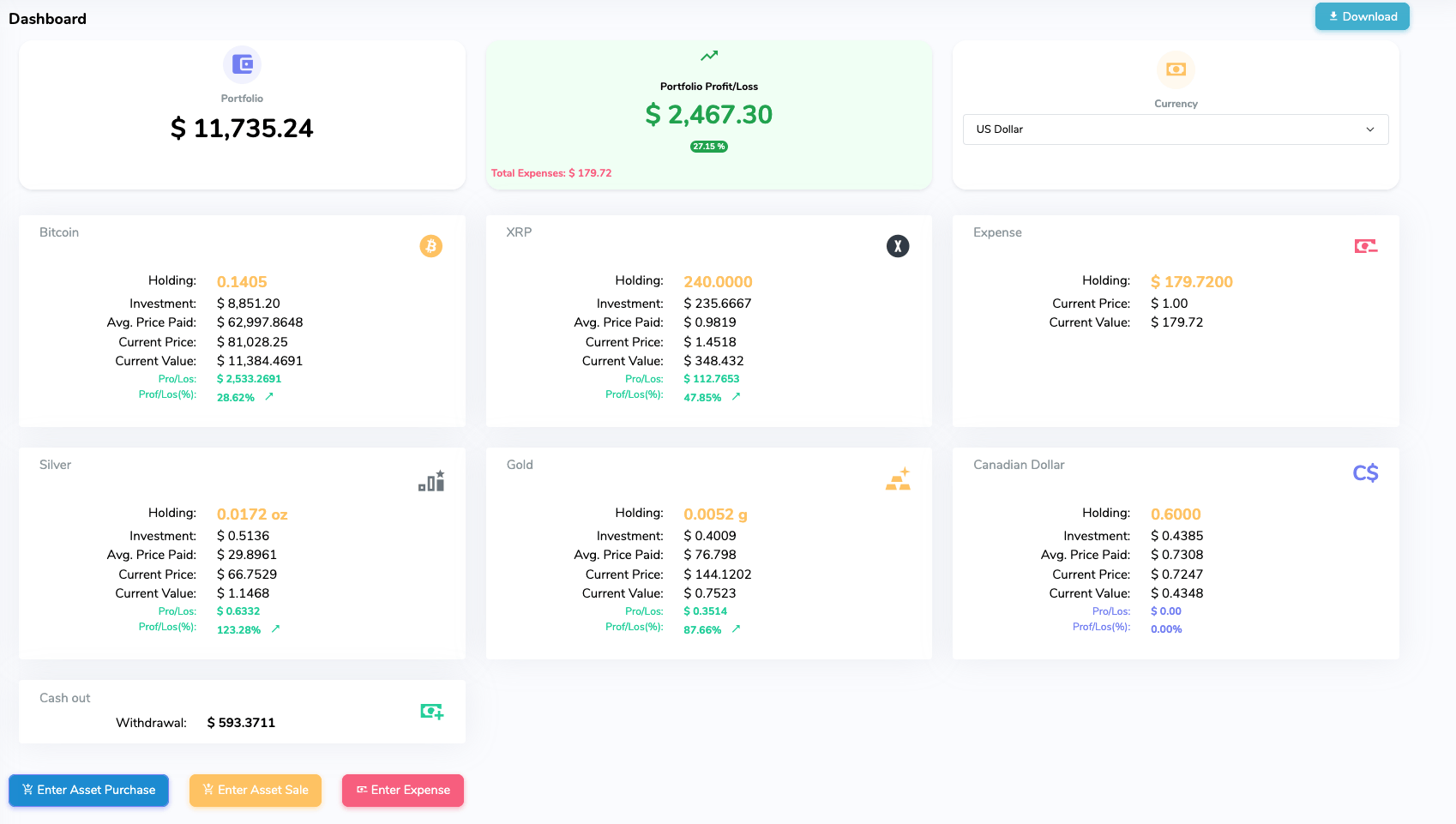
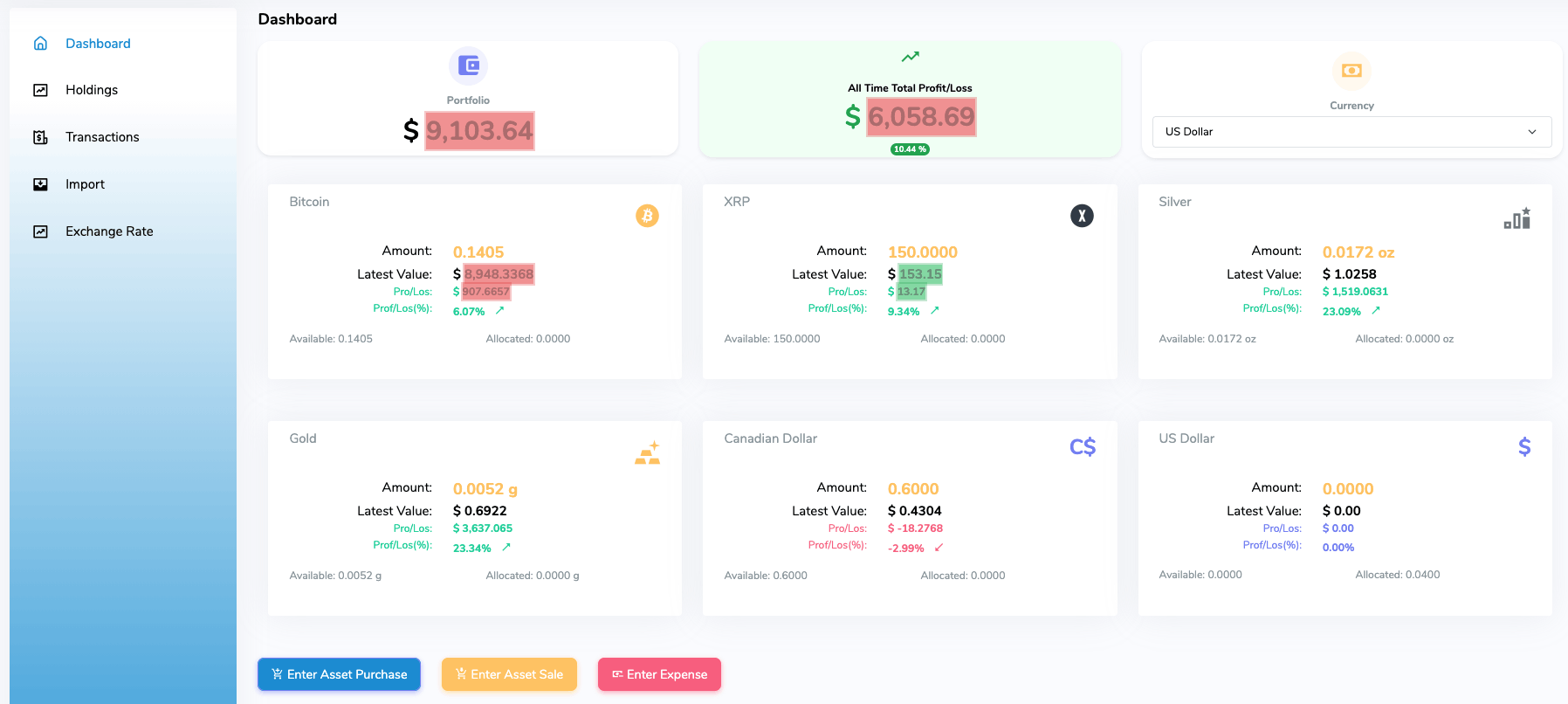
When you log into your account, this is what you will see first. This is a KMSWorld dashboard page. All your assets, portfolio value, gains or losses are shown in numbers, easy to understand and follow. In the upper-right corner are account menus. The total user count is also in the upper-right corner, keeping count of subscribers.
Total portfolio value is in the first row at the top. In the same window, you will see total expenses in red. Your gains are shown as a currency value plus percentage. Next to it is a drop-down menu with many currencies to choose from. By clicking any of the currencies, DB will instantly recalculate all values into the new currency. At the bottom, there is a box with all cash out withdrawals to date. 

KMSWorld main main screen

Stitching dreams, one asset at a time.

The centrepiece of the dashboard is your assets. If you upload Kinesis KMS transactions, they will be presented automatically for you with relevant calculations and other details. This screenshot was made at the moment of assets update. That update is done every 10 seconds as long as you have this screen open.
For users who buy and sell assets outside the Kinesis system, there are utilities to keep track of those actions as well. If you buy silver coins in your local coin shop, it adds to your overall portfolio. When you enter manual asset purchases, if it is a new asset, it will create a new asset details box. How do you do that? 

Manual transaction entry

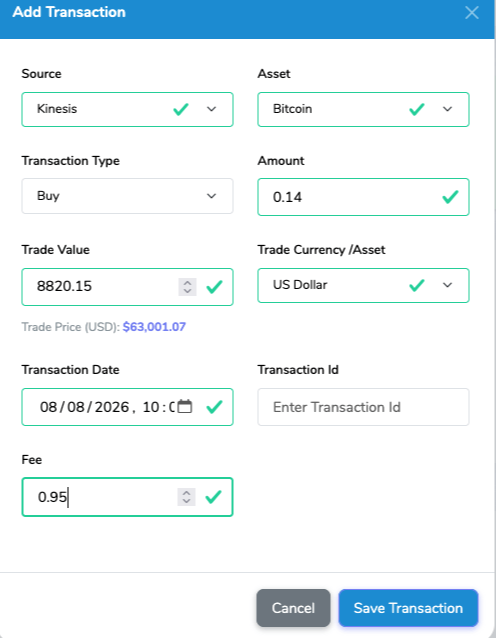
Buy asset
Buy Asset
Fill up presented form by entering the source of the asset, the asset, the amount of the asset, the total amount paid, selecting the currency, transaction date and time, optional transaction ID and finally the fee amount (if any). Save.


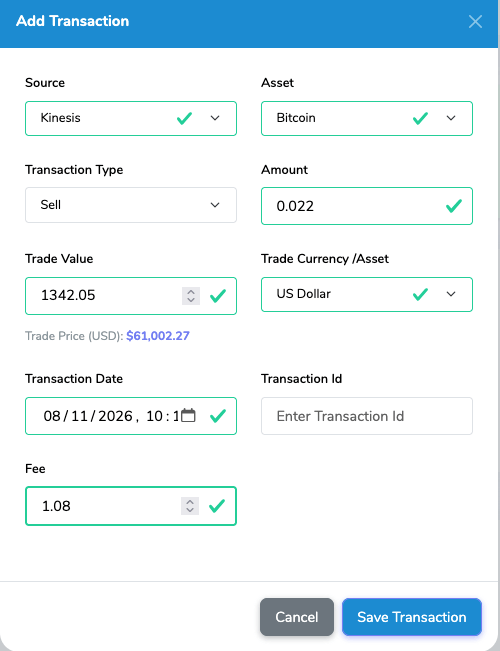
Sell asset
Sell Asset
It is identical to Buy Asset, but this time you are selling it. Enter details as described in Buy Asset window. Select pertinent details, date, currency and fee. Click Save, and you are sale of assets is recorded. 
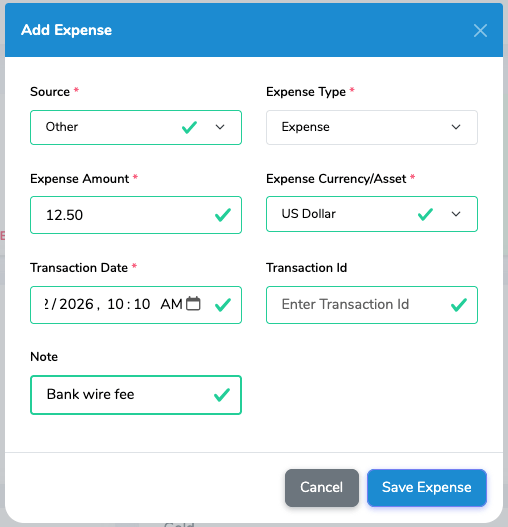
KMSWorld expense form
Enter Expenses
This button gives you possibility to enter possible expenses that you had when buying an asset in the physical world. Use it to enter postage, shipping, taxi ride to LCS, insurance, bank safety box rental, bank wire costs ...
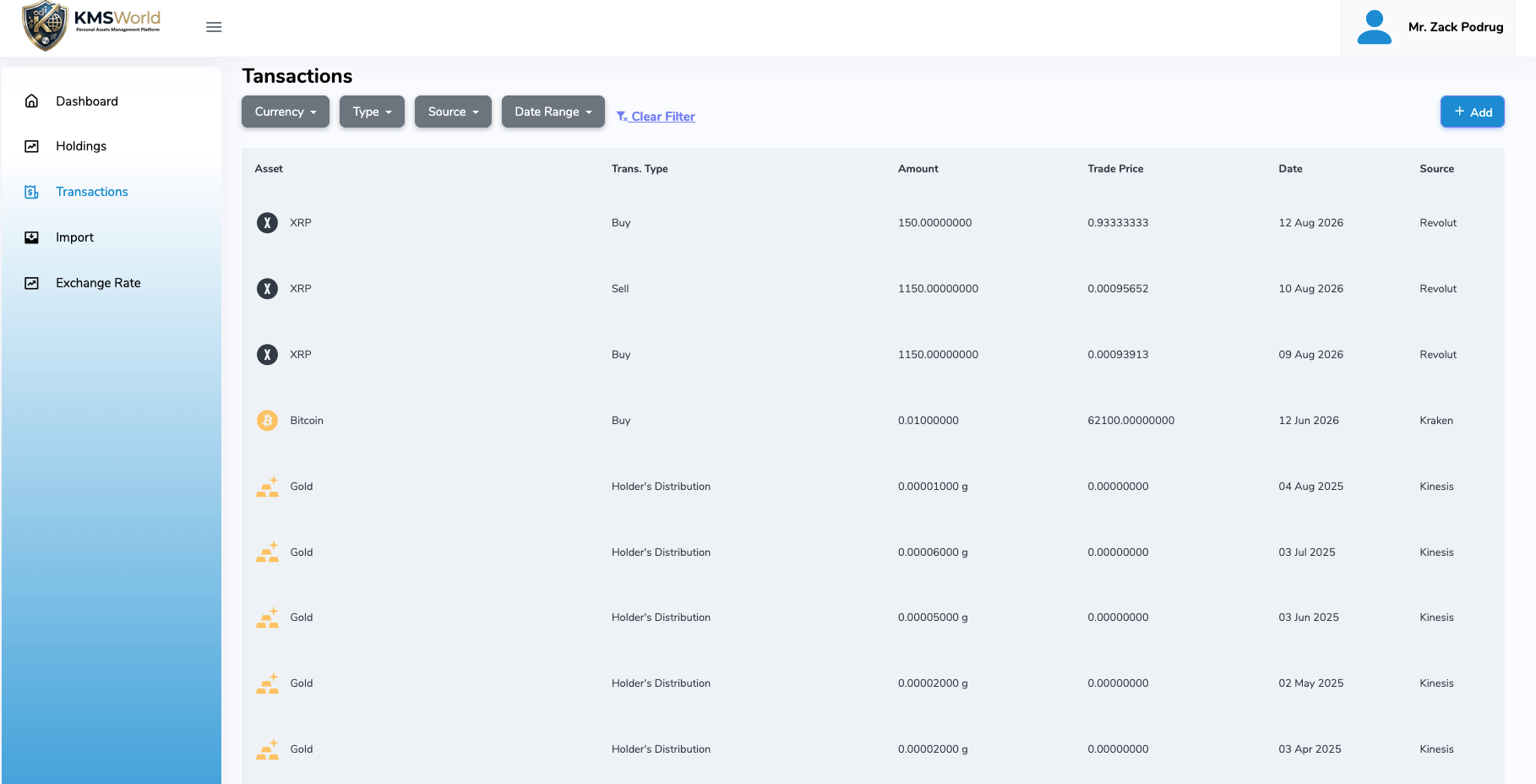
KMSWorld transactions

Transactions.

Search for particular transactions using search criteria on top. DB will return filtered results for your review. 

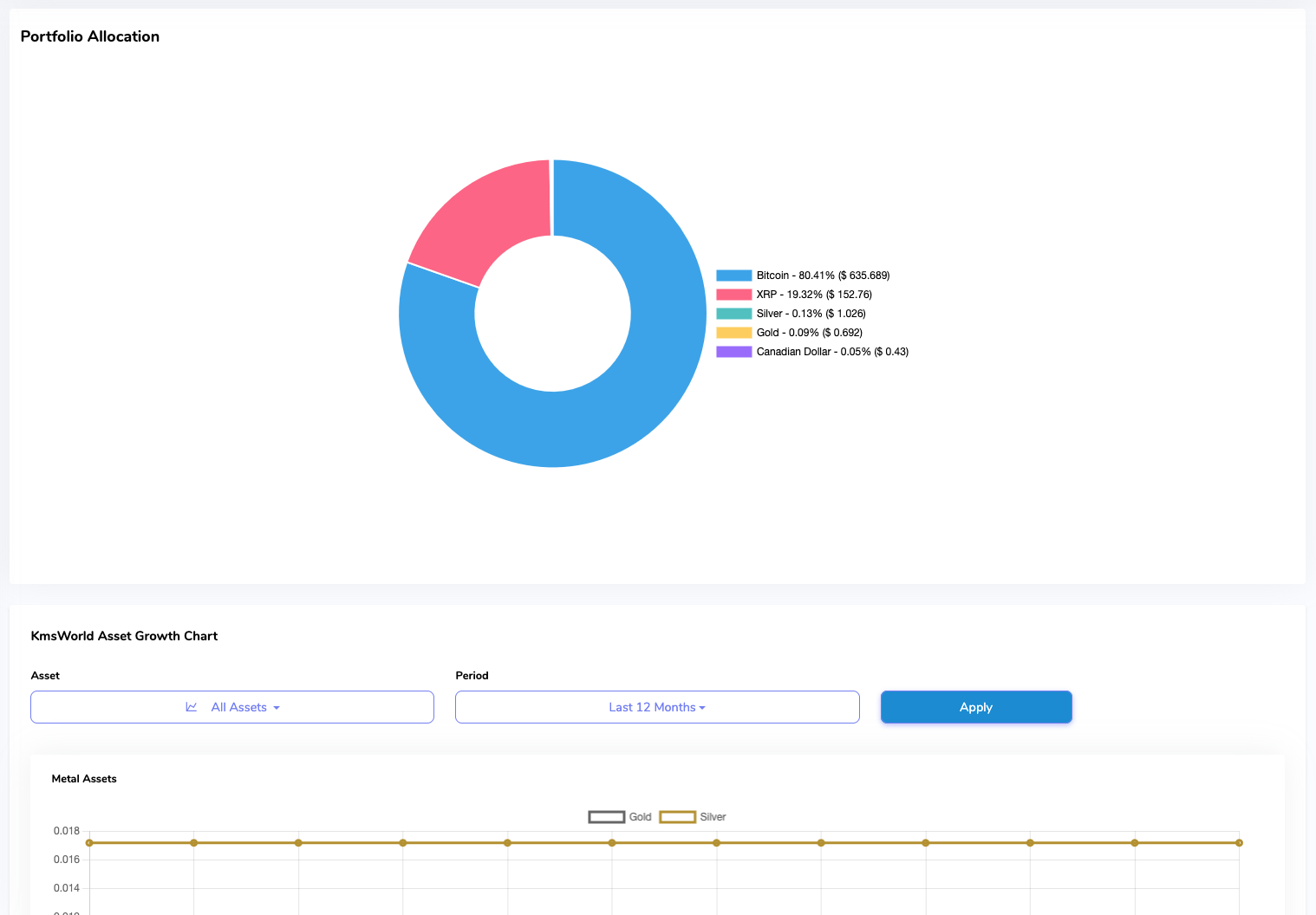
Holdings graphics

Holdings presented visually.

It is not a wheel of hope. It is a wheel of fortune you created with your vision and hard-earned money, translated into hard assets. Your holdings.

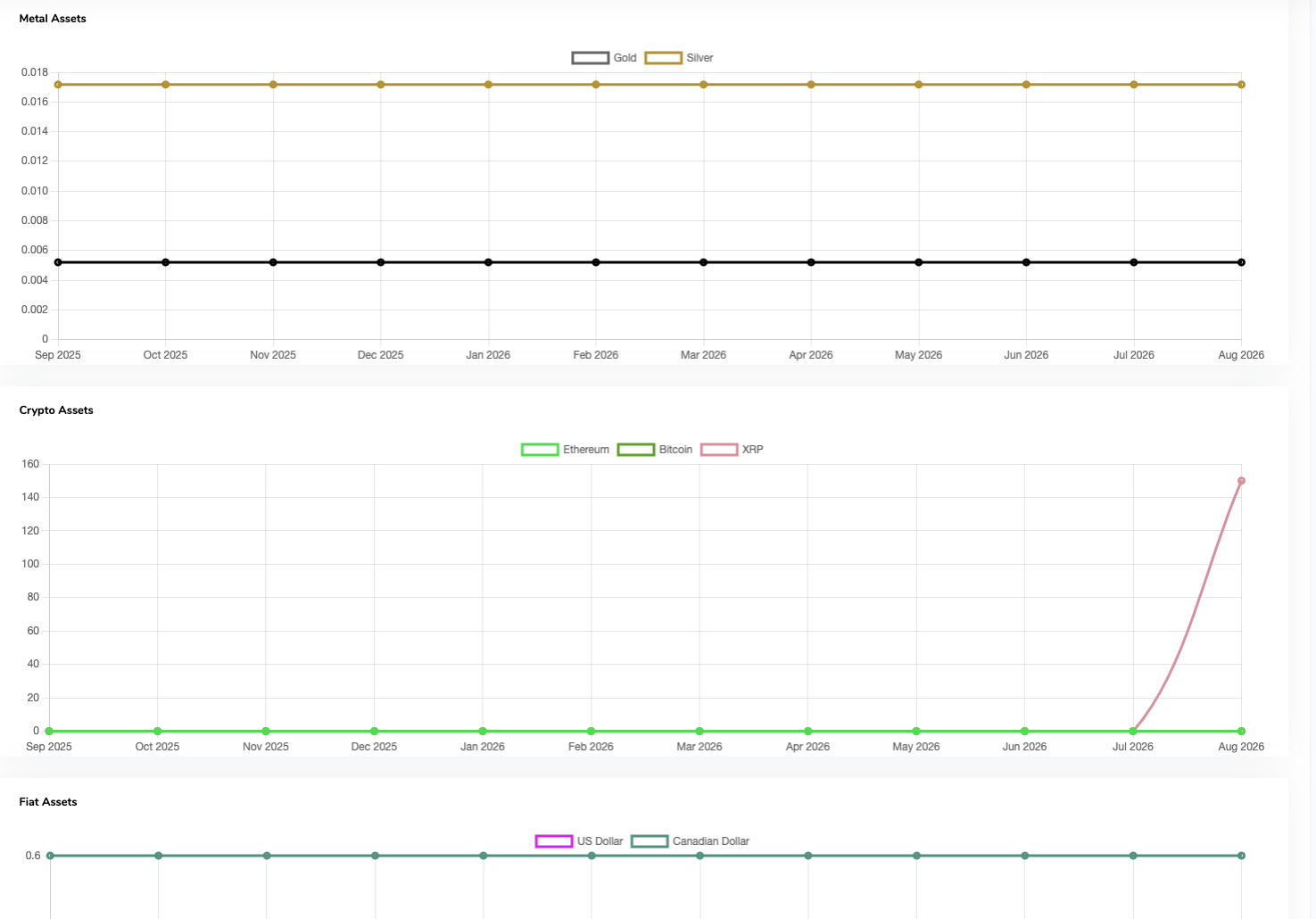
Mobirise Website Builder

All three groups of assets shown as graphs.

Report engine creates and updates those graphs accordingly.

Exchange rates

For your convenience.

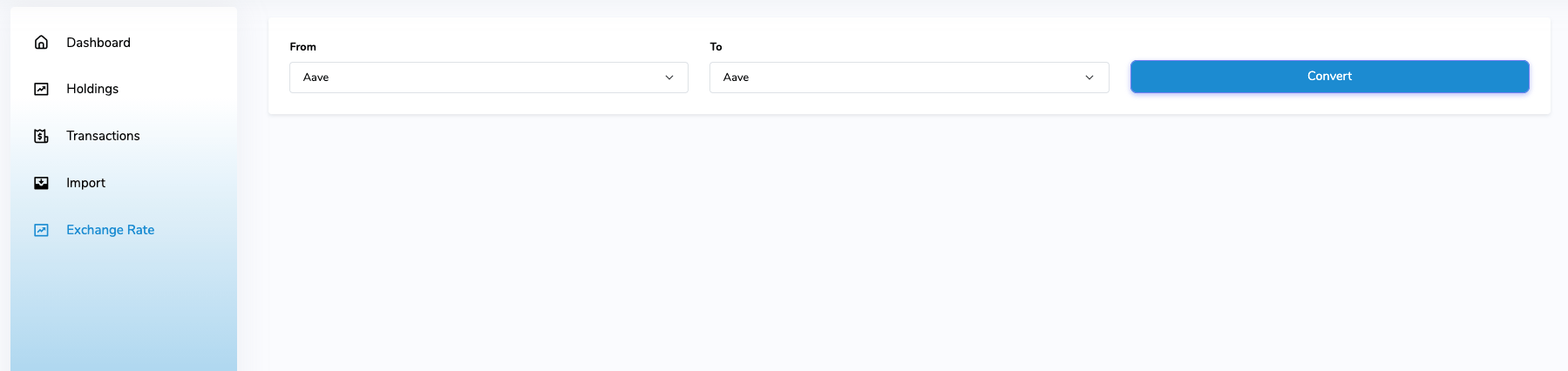
Last menu item are exchange rates. They are for information purposes only and are fed to DB by outside financial source.

Pick your package
KMSWorld will not break your bank. It is a low-cost reporting solution with big impact.
Simply click the selected plan and send e-mail from mail address you registered.
Or send e-mail from any address, but note your login name so we know to which account to apply the payment to. 
In return e-mail you will get payment details. Modes of payment are intra-Kinesis transfers of: C1USD, BTC, XLM, KAU, KAG.
For users with no Kinesis account (we encourage you to sign up), there will be a credit card payment link.
6 months
$1.50/month

$ 9 only gets you a 6 months of unlimited KMSWorld reporting. Check your holdings as often as you like.

  • 1 user
  • Unlimited transactions
  • All features
  • Low cost
12 months
$1.25/month

Get 2 months free when you take 12 months plan. All the same great features and useful data at your fingertips.

  • 1 user
  • Unlimited transactions
  • Lower price

CONTACT INFORMATION

GET IN TOUCH

START NOW

PHONE

+1 (289) 448-0188, 1 (905) 469-0855

ADDRESS

Stoney Creek, Ontario, Canada

HTML Website Maker